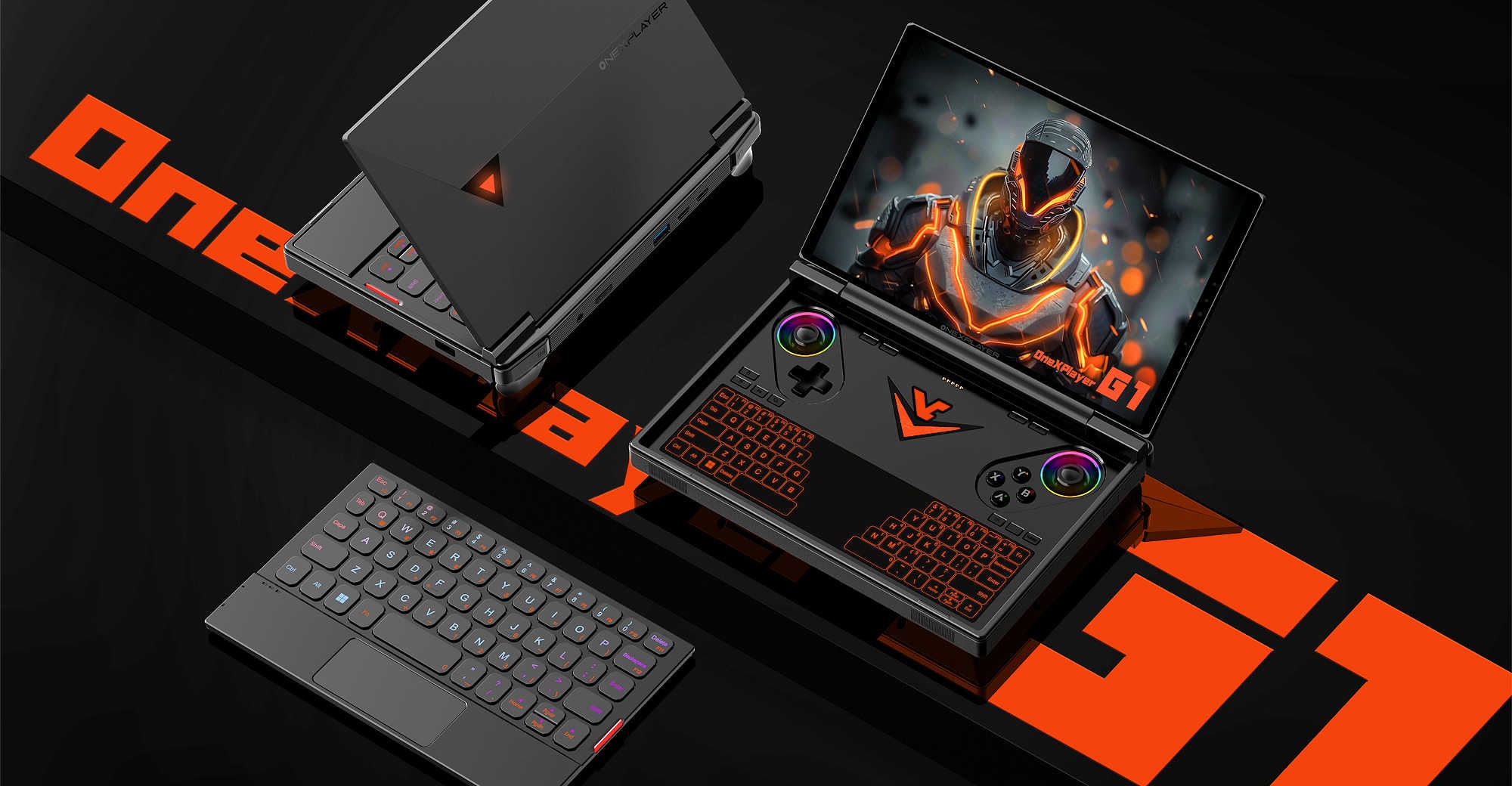
When I first saw the ONEXPLAYER G1, I had one thought: finally. A handheld that doesn’t just flirt with high-end specs but dives headfirst into the desktop pool. With AMD’s latest Ryzen AI chip, a beastly GPU, and a 2.5K display crammed into a surprisingly portable chassis — this thing is part gaming console, part laptop, part fever dream.
But is it too much power in too small a body? Or the best Steam Deck killer we’ve seen yet? Let’s get into it.
Specs Breakdown: What’s Inside the Beast
Processor (three versions available):
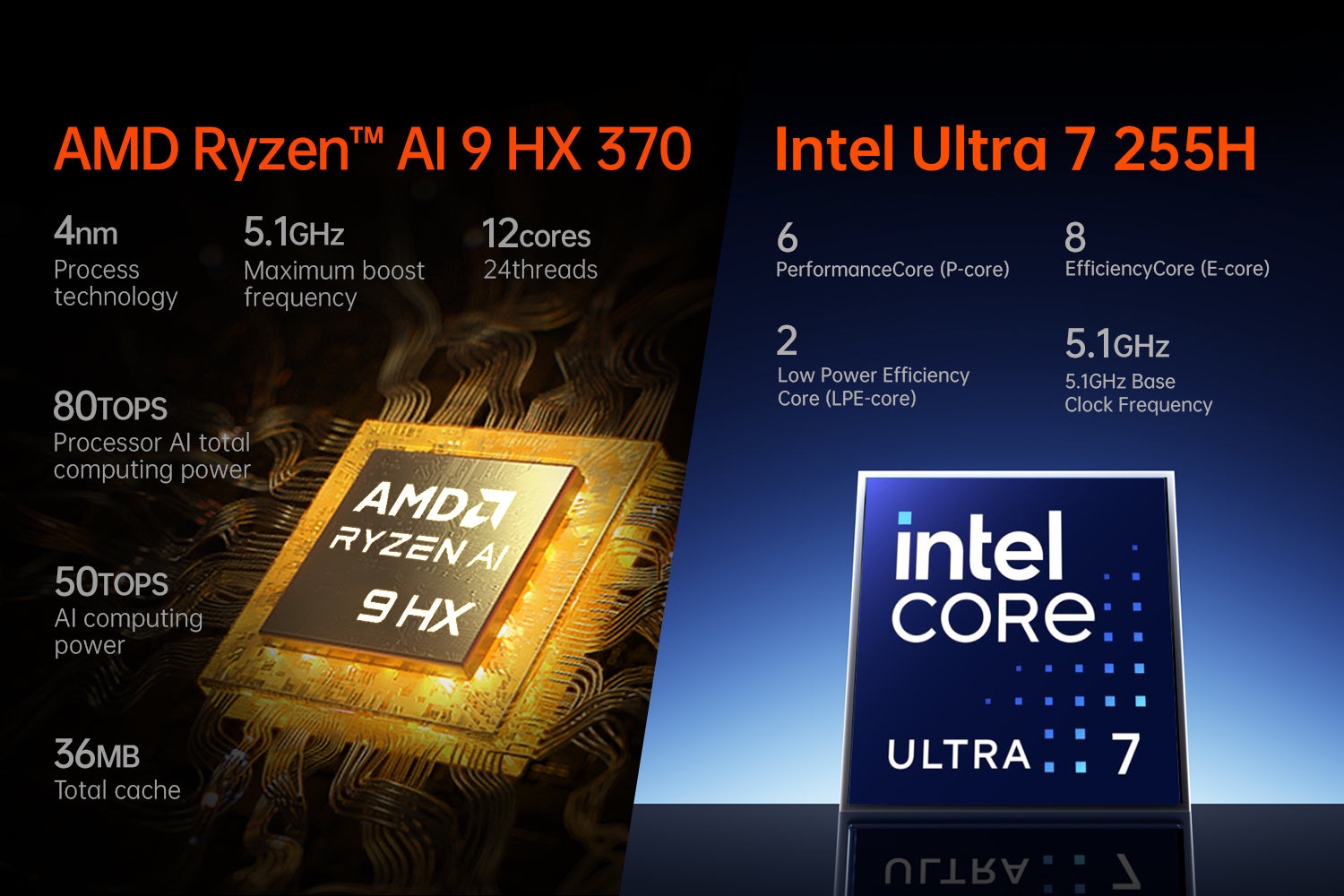
• AMD Ryzen AI 9 HX 370 (12 cores / 24 threads, up to 5.1GHz)
• Intel Core Ultra 7 155H (16 cores / 22 threads, up to 4.8GHz)
• AMD Ryzen 7 8840U (8 cores / 16 threads, up to 5.1GHz)
GPU:
• AMD Radeon 890M (RDNA 3.5, 16 CUs)
• Intel Arc iGPU (Core Ultra variant)
• AMD Radeon 780M (on 8840U model)
RAM:
• 32GB or 64GB LPDDR5X at 7500MHz
Storage:
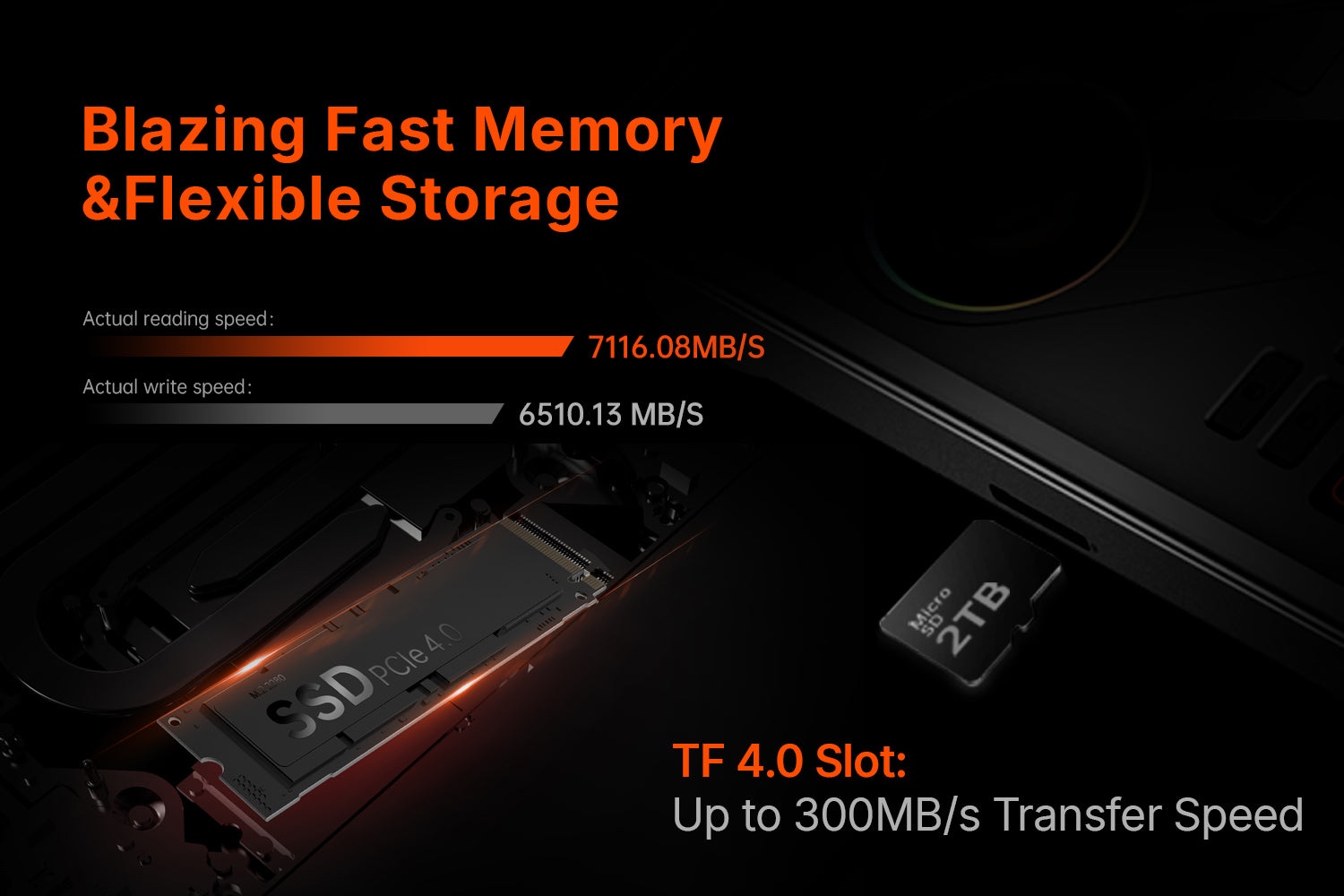
• 1TB, 2TB or 4TB PCIe 4.0 SSD
Display:
• 8.8” IPS, 2560×1600, 144Hz, 500 nits
Connectivity:
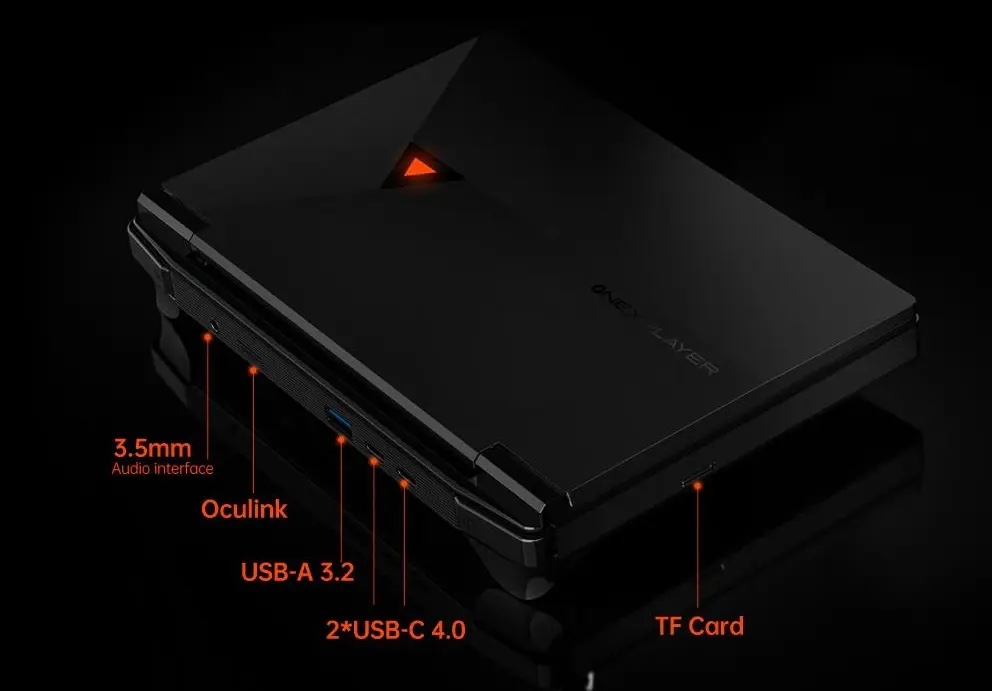
• USB4, OCuLink, Wi-Fi 6E, Bluetooth 5.2
• 2× USB-A, 1× USB-C, 1× 3.5mm jack, microSD, OCuLink, Pogo-pin keyboard connector
Battery:
• 65.5Wh, 100W USB-C fast charging
OS:
• Windows 11 Home
Dimensions:
• 310×127×22 mm, 848 g
Spec Talk: Why These Numbers Matter
The ONEXPLAYER G1 doesn’t mess around. The top-end HX 370 chip with the Radeon 890M delivers the best iGPU gaming performance on the planet right now. We’re talking Forza Horizon 5 at high settings, smooth 60+ fps — without needing an eGPU.
That said, if you’re the kind of person who wants an external GPU, this thing supports OCuLink — meaning you can hook up a full desktop GPU and barely lose performance. That’s a game-changer.
The 144Hz screen is sharp, color-rich, and ridiculously smooth for a handheld. Combined with fast LPDDR5X RAM and up to 4TB of SSD, it’s closer to a gaming laptop than a Switch or Steam Deck.
Design and Feel: Like a Spaceship in Your Hands
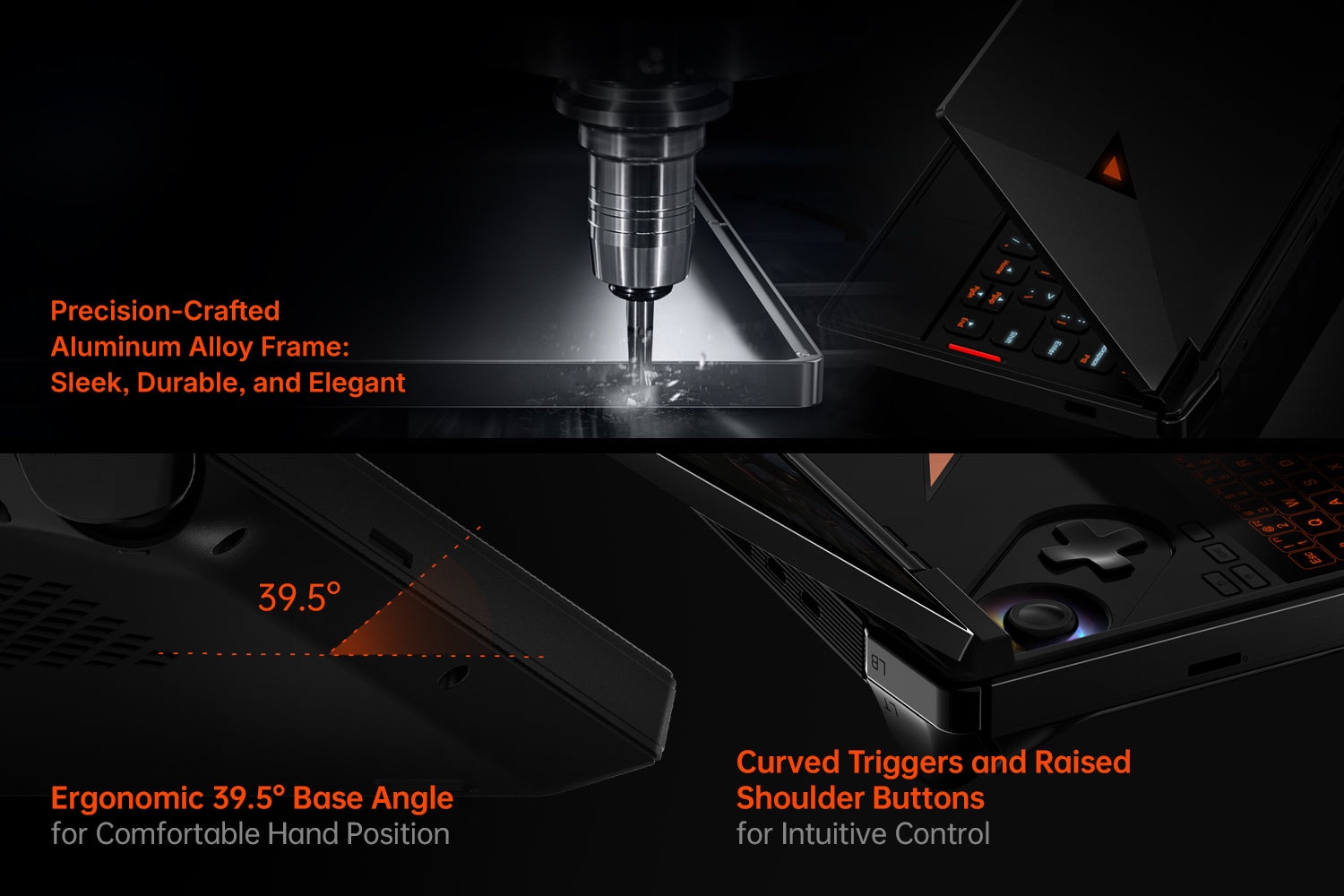
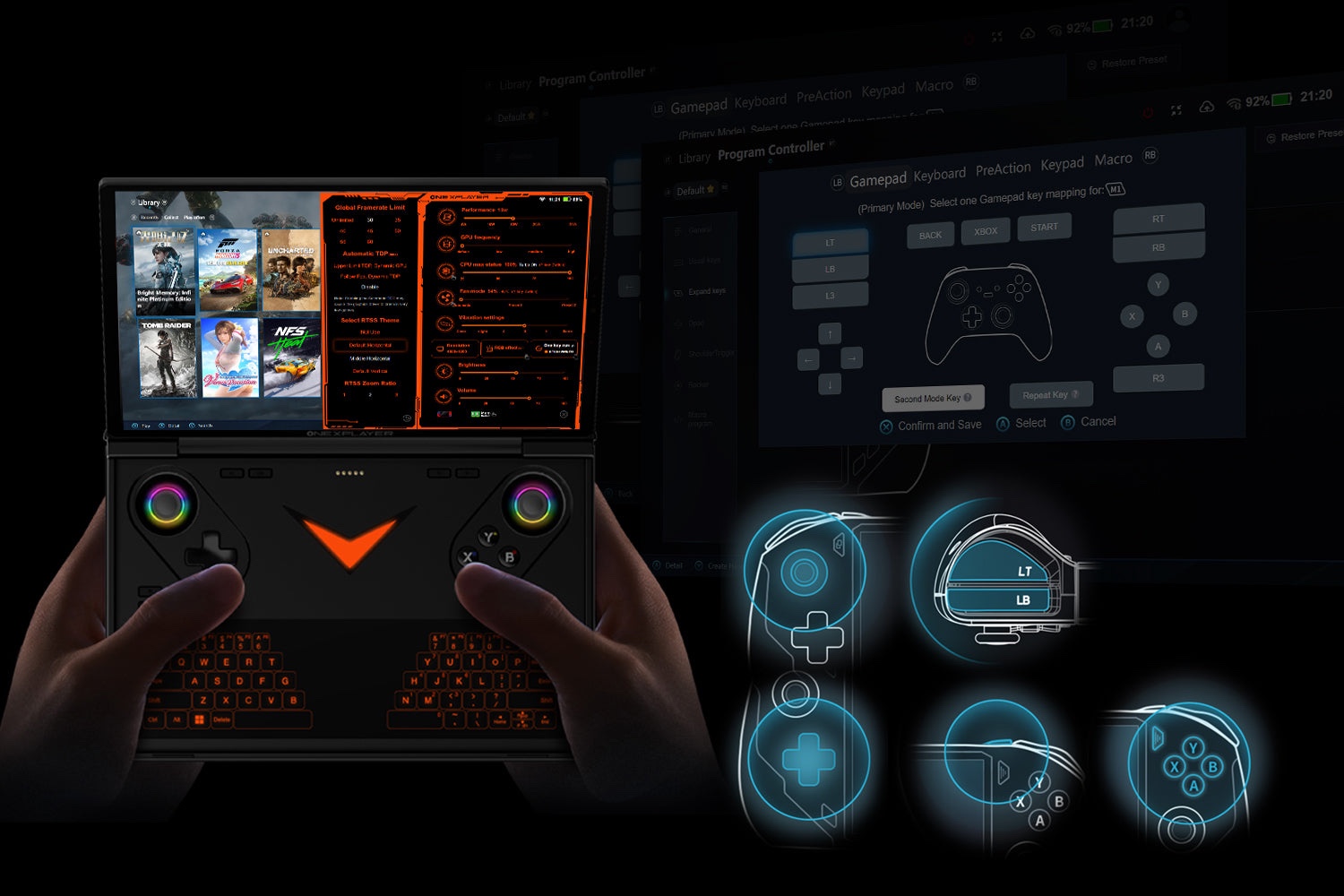
ONEXPLAYER keeps its design signature alive here — bold lines, huge display, premium materials.
• The matte-textured back feels secure in-hand, no sweaty slip-ups
• The orange-accented analog sticks are Hall-sensing — precise, drift-free
• Triggers are magnetic and clicky, very Xbox Elite vibes
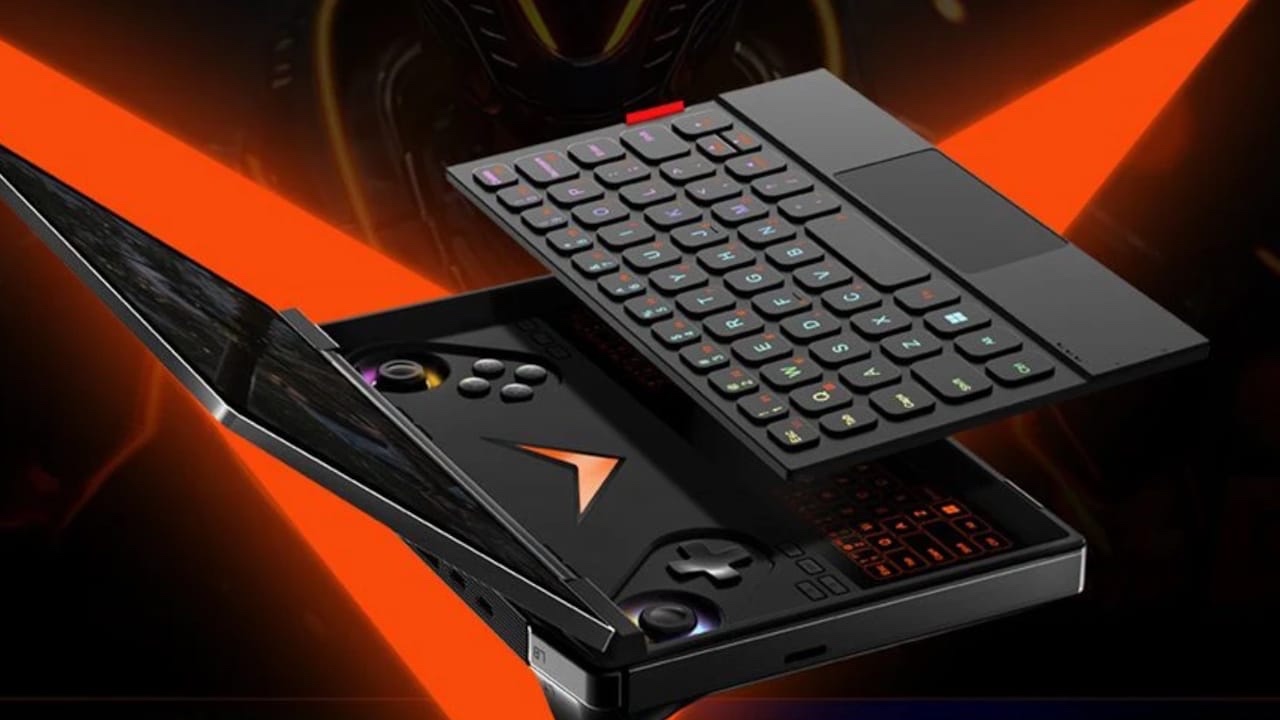
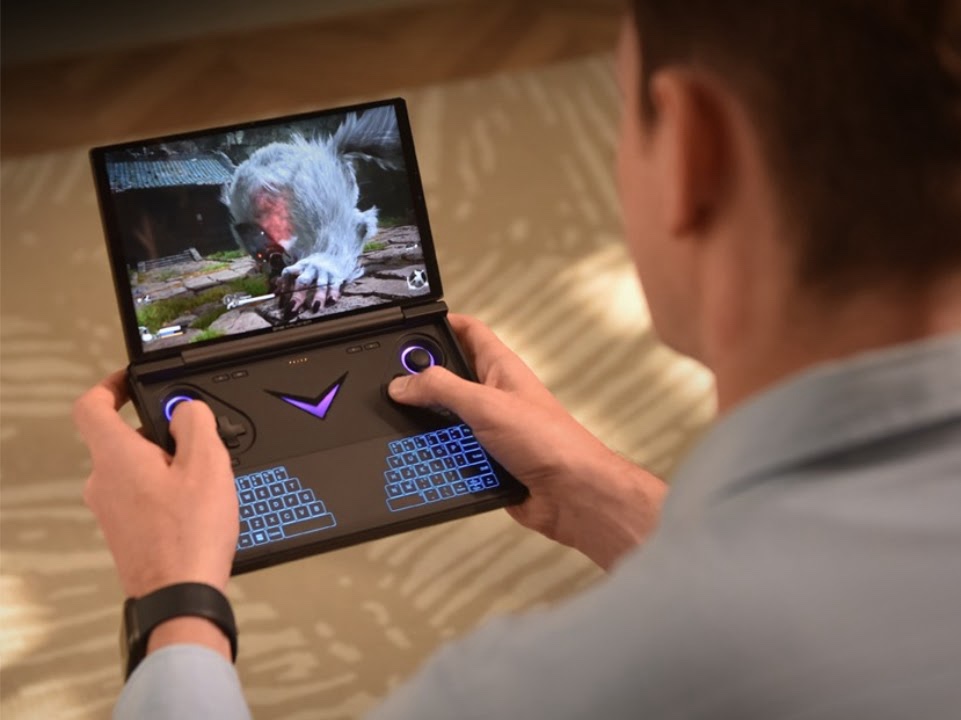
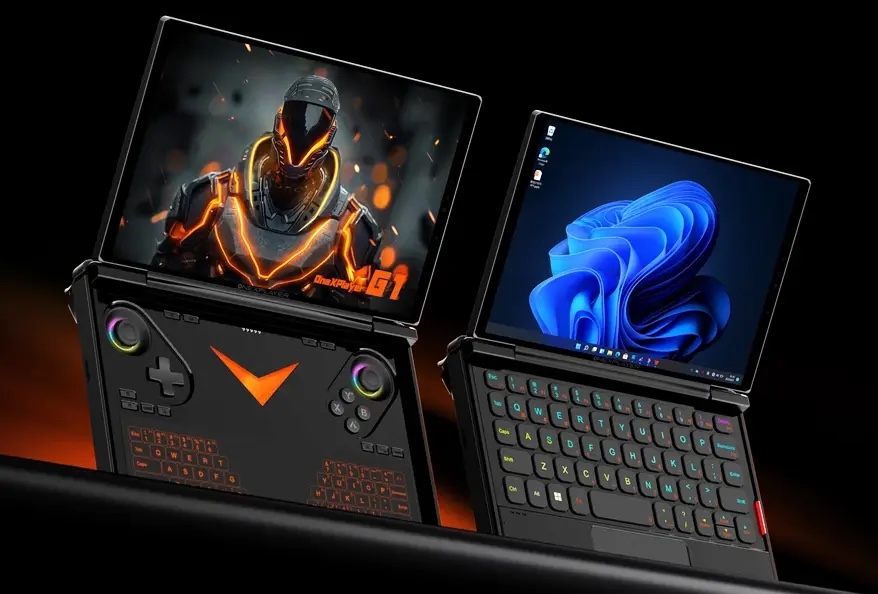
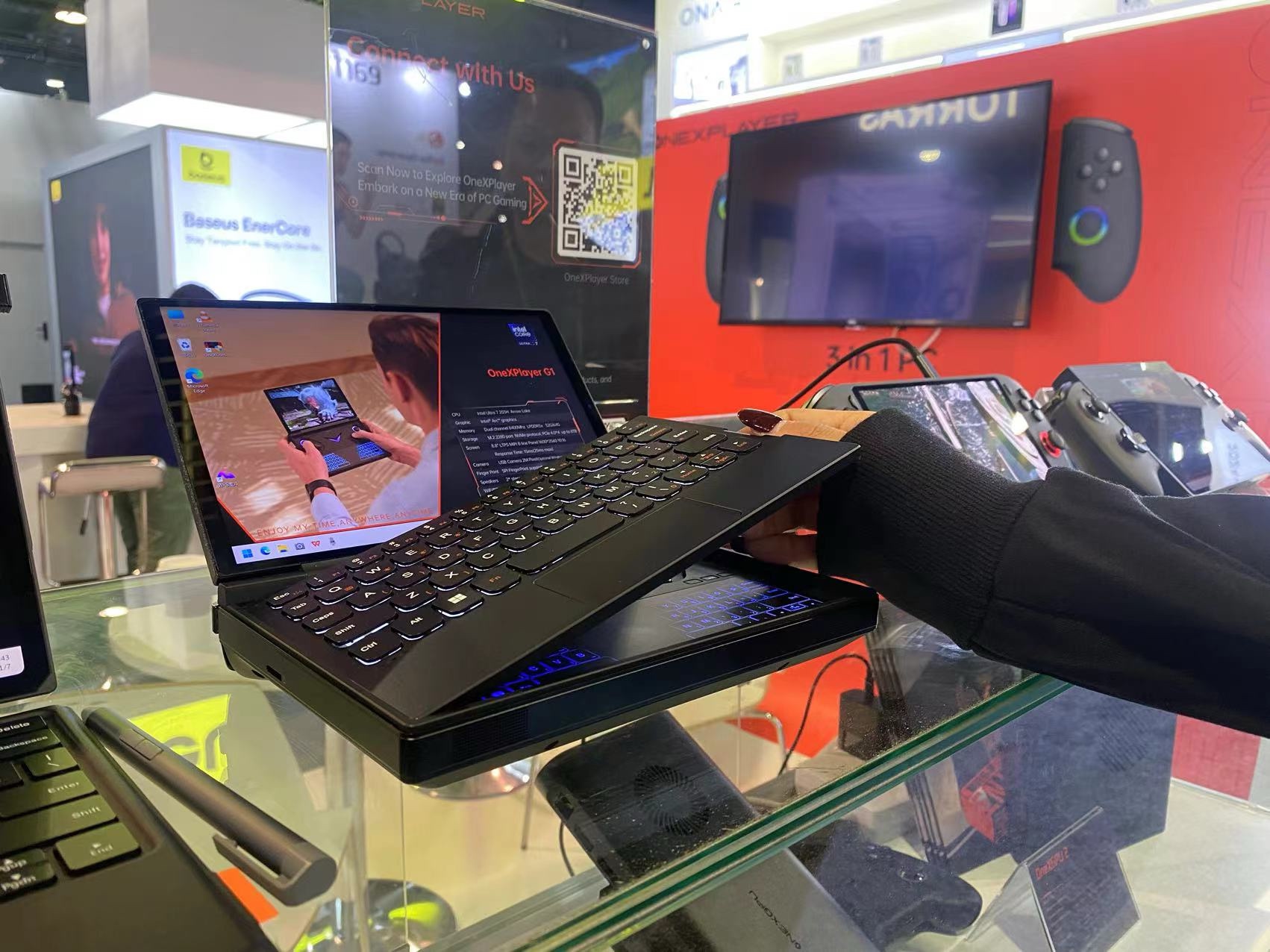
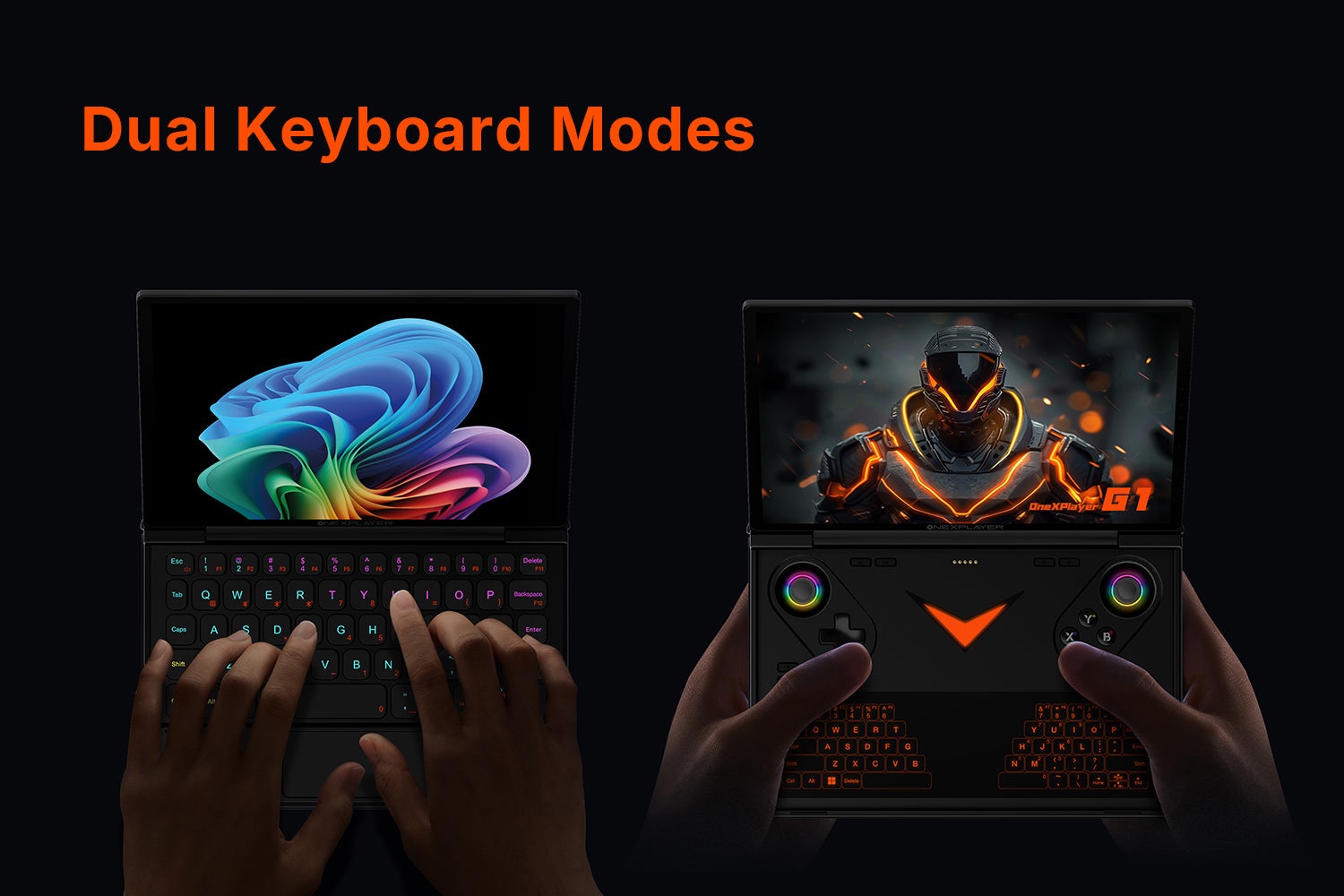
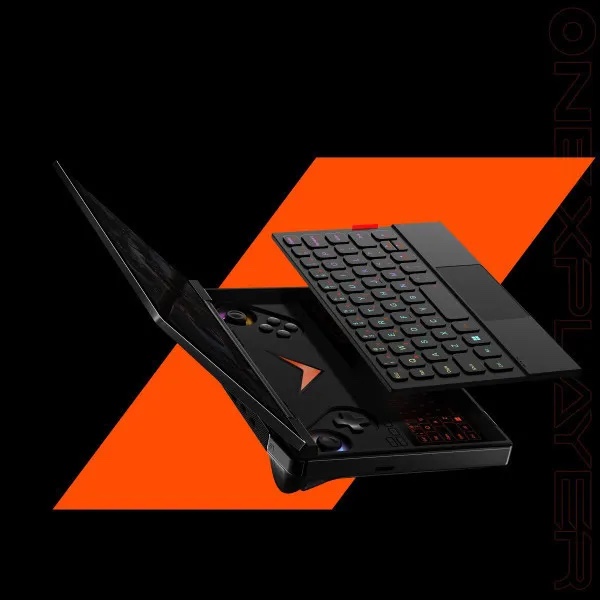
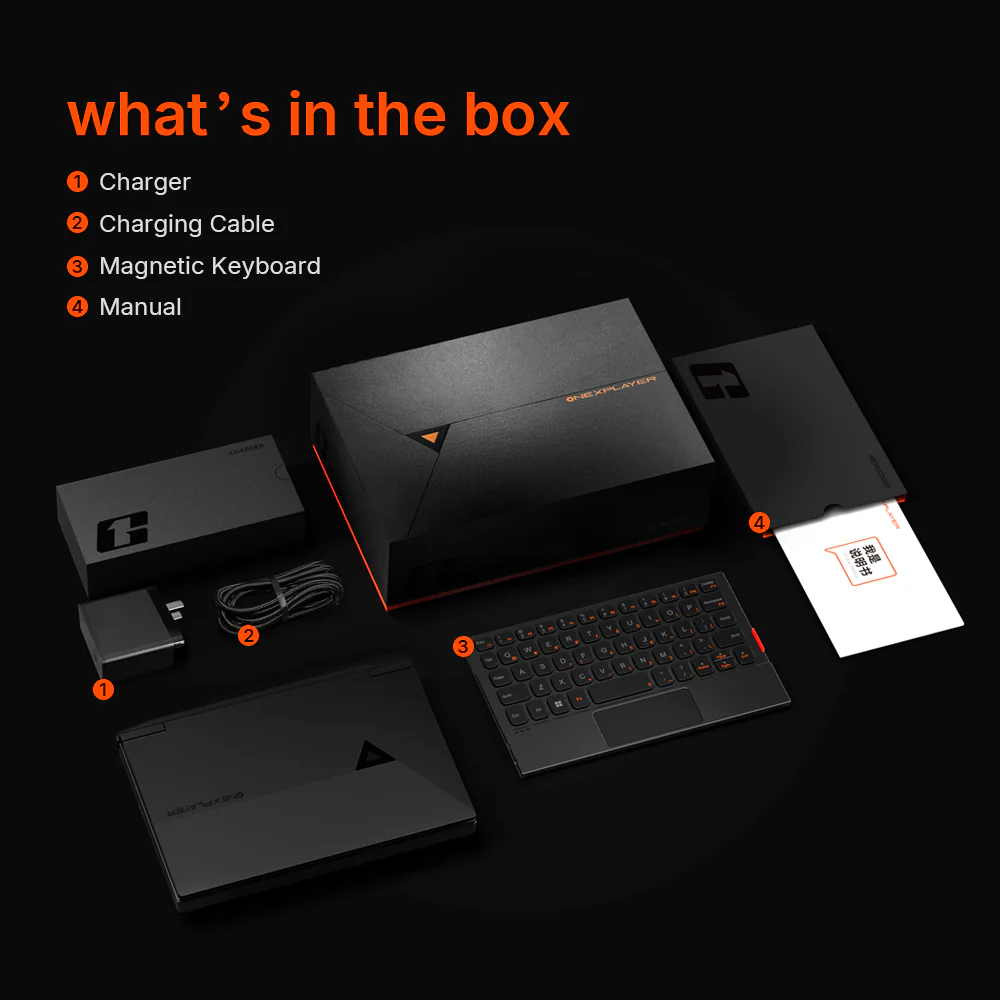
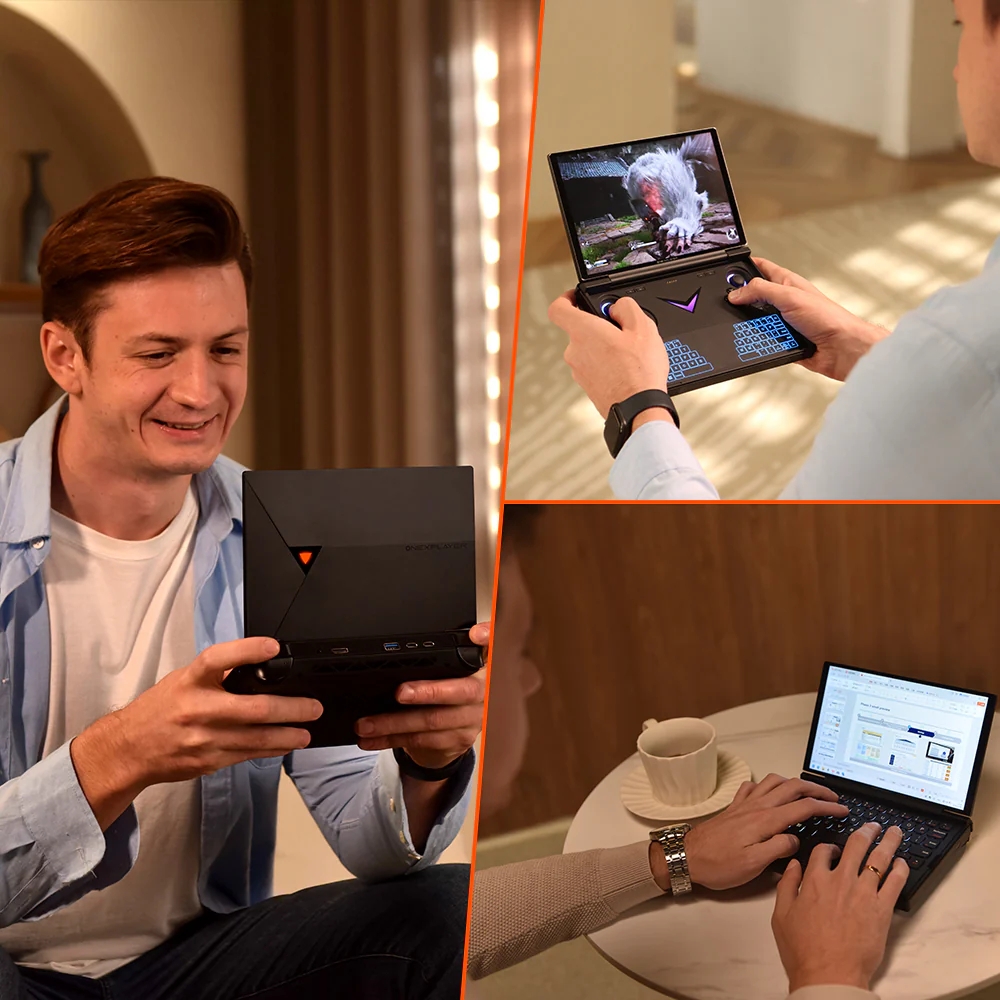
• Detachable magnetic keyboard (sold separately) turns it into a mini-laptop
• The RGB light bar under the screen? Overkill and awesome
All the ports are either top-facing or bottom-aligned — surprisingly ergonomic. And yes, you can dock this thing and use it with a full-size monitor and keyboard. It’s that versatile.
Testing It Out: Real Games, Real Sweat
I tested the G1 with the Ryzen AI 9 HX 370 and 32GB of RAM. Here’s how it held up:
• Cyberpunk 2077 (Medium, FSR 2.1 Balanced) — 48–55 fps
• Baldur’s Gate 3 (Ultra, 1080p) — 60+ fps indoors, 42–50 outdoors
• Hi-Fi Rush (High, 1600p) — locked 60 fps
• Elden Ring (High, 1200p) — 55–60 fps with no major dips
And with an external GPU via OCuLink (used a desktop RTX 4070): pure desktop gaming, no joke. Alan Wake II ran like butter.
Battery life isn’t miraculous — expect 2.5 to 3.5 hours under load, 6+ in light use — but the 100W USB-C charging helps it bounce back quickly.
How It Stacks Up
• Steam Deck OLED: More affordable, better battery, and still solid — but can’t touch the G1’s power or screen sharpness.
• ROG Ally: Slightly lighter, with a strong 7840U chip — but limited to 1080p and no OCuLink support.
• AYANEO Kun: Bigger battery and screen, but heavier and more expensive — similar power, less portability.
Verdict: G1 is best for people who want power and future-proofing (OCuLink!), without sacrificing portability.
What Others Say
“This isn’t just another handheld — this is a desktop PC pretending to be portable.” — Wired
“The G1 pushes the iGPU to its limits — and then breaks those limits when you plug in OCuLink.” — CNET
FAQ
• Does ONEXPLAYER G1 work with external GPUs?
Yes, via OCuLink and USB4. OCuLink gives near-desktop performance.
• Is the GPU inside upgradable?
No, it’s a soldered APU. But you can use eGPU docks.
• What’s the best version to buy?
If gaming is your focus, go for the AMD HX 370 + Radeon 890M model.
• Can it replace a laptop?
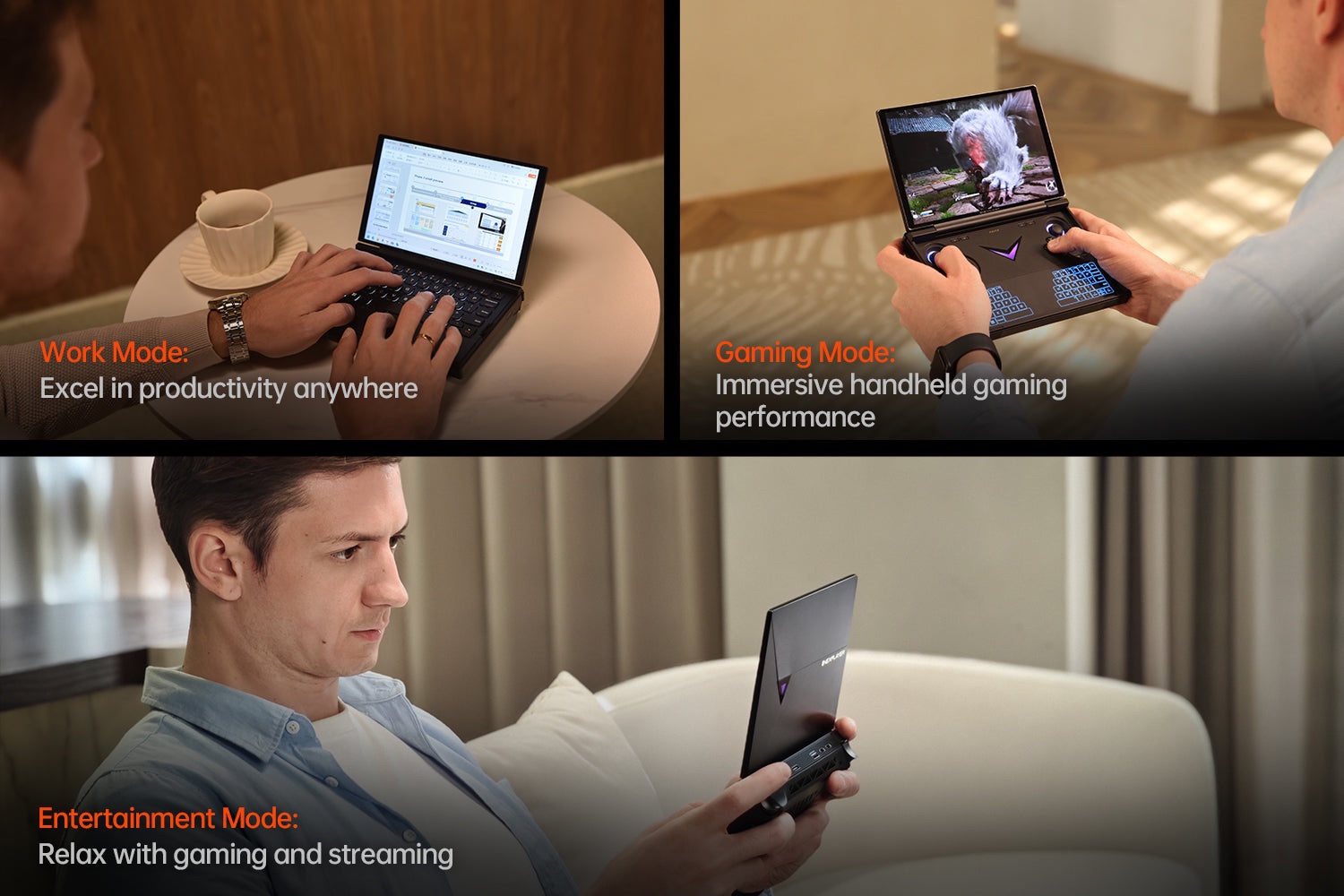
With the keyboard accessory — yes. It runs full Windows 11 and supports all apps.
Cons
• No swappable GPU (eGPU required for big upgrades)
• Battery life could be better under full load
• RGB lighting is not customizable (yet)
• Keyboard sold separately
Price and Availability
Starts from $899 for Ryzen 7 8840U
Top-end version (HX 370, 64GB RAM, 4TB SSD) costs up to $1,539
Available at:
• Official Store: onexplayerstore.com
• Indiegogo: indiegogo.com/projects/onexplayer-g1
• Geekbuying: Search for “ONEXPLAYER G1”
Final Verdict
Rating: 4.5 / 5
The ONEXPLAYER G1 is a rare breed — a device that delivers real desktop-class gaming in a sleek, portable package. With powerful CPU options, fast RAM, incredible display, and true external GPU support, it’s a future-proof powerhouse.
It’s not for everyone — but if you’re the kind of gamer who wants it all, this is the one to beat.
Who’s It For
• Gamers craving a no-compromise portable experience
• Power users who want workstation-level output in their bag
• Early adopters of RDNA 3.5 and OCuLink
• Steam Deck upgraders looking for next-gen handheld power
Who Should Skip It
• Casual users or emulation-only gamers
• People who value battery life over raw performance
• Those who hate Windows-based handhelds
• Users who don’t want to deal with eGPU docks
4.5 / 5